
Download USB Media Viewer – USB OTG, Android photo viewer, free photo viewer, SD card reader, RAW photo viewer, mobile photo viewer
Overview
USB Media Viewer is a free Android application designed to enable users to view JPEG and RAW photos stored on external storage devices such as USB flash drives and SD cards directly from their Android smartphones or tablets. The app is particularly useful for photographers, travelers, and mobile professionals who need quick access to high-resolution images without transferring them to internal storage. It supports a range of Android devices, including Nexus and Pixel models, provided they run Android 4.0 or higher and have USB Host (OTG) functionality.
The software does not require root access, making it accessible to users without technical expertise. It is essential to note that the Nexus 4 does not support OTG/USB Host and therefore cannot use the app. The developer did not provide additional details about the app’s development background or company structure.
Real-world usage scenarios include reviewing photos during fieldwork, transferring images from a camera to a mobile device, or sharing media with others on the go. The app’s integration with USB OTG allows seamless access to external media, enhancing workflow efficiency for mobile users.
Key Features & Capabilities
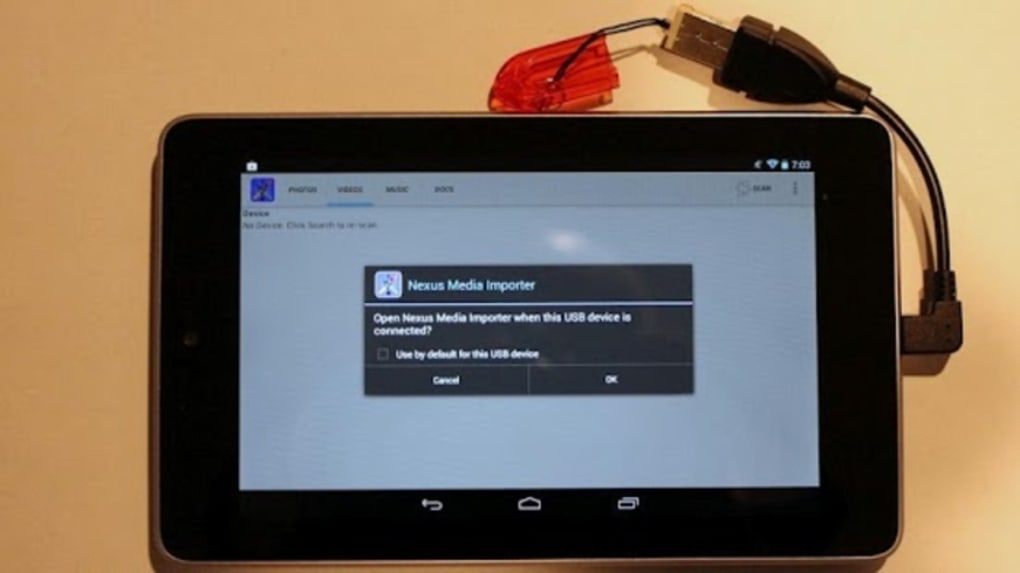
- USB OTG Support – Enables direct connection of USB flash drives and SD card readers to Android devices, allowing instant access to stored media without requiring a computer.
- RAW and JPEG Photo Viewing – Supports both standard JPEG images and RAW files, making it suitable for professional photographers who work with high-quality image formats.
- Non-Root Installation – Operates without requiring root privileges, ensuring broad compatibility and security for everyday users.
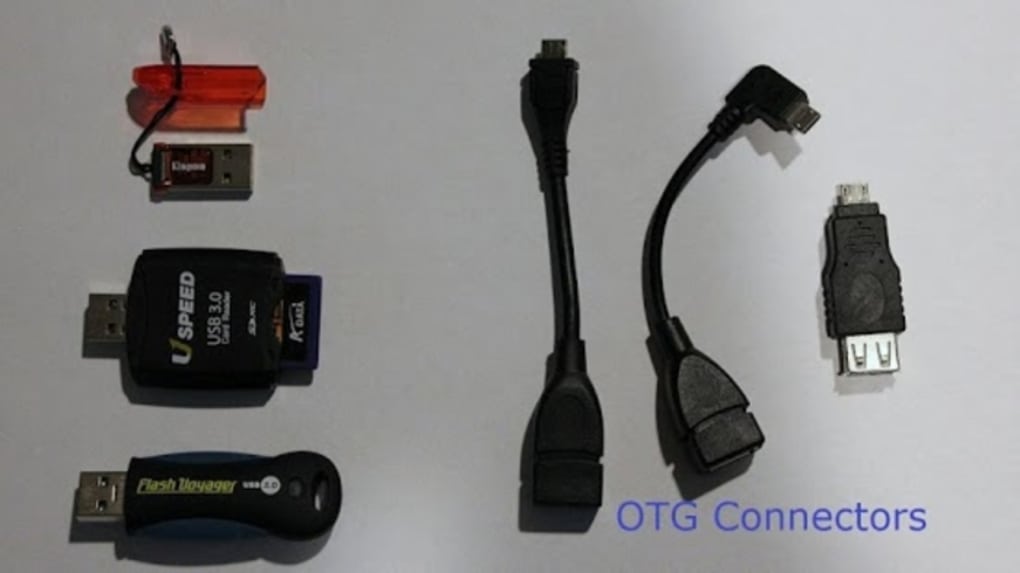
- Simple Setup Process – Works with basic accessories like a USB OTG cable (available for $1–10 USD), a flash drive, or an SD card reader, reducing the need for complex configurations.
- Device Compatibility – Designed for Nexus, Pixel, and other Android 4.0+ devices with USB Host support, expanding access for users with older or mainstream devices.
These features allow users to view photos directly from external storage, which is especially helpful in environments where transferring files to internal memory is impractical. For example, a photographer at an event can preview RAW images from a camera’s SD card using a portable reader and their smartphone. Similarly, a traveler can review vacation photos stored on a flash drive without needing a laptop. The app’s lightweight design and minimal system demands make it ideal for on-the-go use. The developer also provides troubleshooting guides and how-to videos, which support user onboarding and reduce setup friction.
User Interface, Workflow & Performance
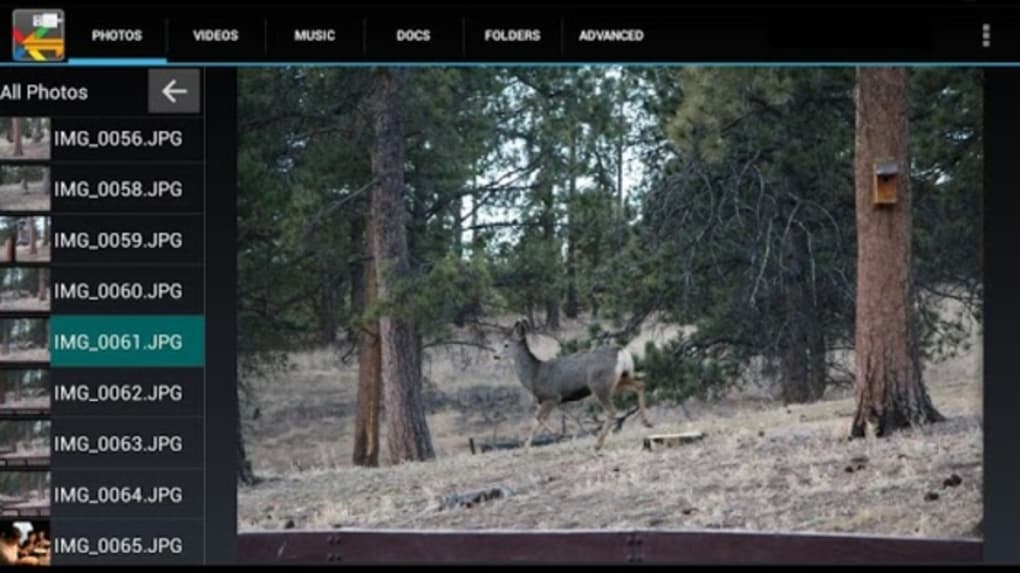
The user interface of USB Media Viewer is designed for simplicity and direct access to media files. Navigation is intuitive, allowing users to browse folders and view images in a gallery-style layout. The app’s workflow is streamlined: connect the USB device via OTG cable, launch the app, and begin viewing photos immediately.
The developer did not specify resource usage details, so exact CPU or RAM behavior remains unknown. Performance observations are based on general software behavior patterns for lightweight Android utilities. The app is expected to operate smoothly on devices with sufficient processing power and memory.
Stability is presumed to be consistent, given the app’s long-standing presence on the Google Play Store and regular updates. However, performance may vary depending on the connected device’s power supply and the type of storage used. The developer recommends external power when connecting hard drives to tablets, indicating potential power limitations on certain devices.
Overall, the workflow is efficient and user-friendly, minimizing the need for technical intervention.
Compatibility & System Requirements
USB Media Viewer is compatible with Android 4.0 and higher, supporting a wide range of devices including Nexus and Pixel smartphones and tablets. The app requires USB Host (OTG) functionality, which is not available on all Android devices. The developer did not specify exact hardware requirements beyond the OS version.
The installation size is 4.3 MB, indicating a lightweight footprint. The app does not require root access, making it suitable for most standard Android users. The developer did not provide information about supported processors, RAM, or storage space beyond the file size.
Compatibility information was partially provided, with specific mention that the Nexus 4 does not support OTG/USB Host and is therefore incompatible. Users should verify their device’s OTG capability before installation. The app’s reliance on external accessories such as OTG cables and USB storage devices means that compatibility also depends on the availability and functionality of these peripherals.
Pros and Cons
Pros
- Free to download and use with no in-app purchases
- Supports both JPEG and RAW photo formats
- Works without root access on Android 4.0+ devices
- Simple setup using common accessories like OTG cables and flash drives
- Lightweight at only 4.3 MB in size
Cons
- Not compatible with devices lacking USB OTG support, such as the Nexus 4
- Performance may depend on external power supply when using hard drives
- Requires additional hardware (OTG cable, USB drive, or SD card reader)
- Developer did not provide detailed system requirements or performance benchmarks
- May not support newer file systems or proprietary RAW formats beyond standard types
FAQ Section
Is USB Media Viewer compatible with my Android device?
The app works on Android 4.0 and higher devices that support USB Host (OTG) functionality. Devices like the Nexus 4 do not support OTG and are incompatible. Users should check their device specifications before installing.
Do I need root access to use this app?
No, USB Media Viewer does not require root access. It is designed to function on standard Android devices without advanced permissions.
What accessories do I need to use the app?
You will need a USB OTG cable, a USB flash drive, or a USB SD card reader. These accessories are widely available and typically cost between $1 and $10 USD.
Can I view RAW photos with this app?
Yes, the app supports viewing RAW photo files in addition to standard JPEG images, making it suitable for photographers who work with high-resolution formats.
Is the app safe to download and use?
USB Media Viewer is available on the Google Play Store and is free from malware. The developer provides regular updates and support, contributing to its security and reliability.
Final Thoughts
USB Media Viewer delivers a reliable, no-frills solution for viewing photos from external storage on Android devices. Its support for both JPEG and RAW formats, combined with a simple interface and no root requirement, makes it an ideal tool for photographers, travelers, and mobile users who need quick access to their media. While it requires additional hardware and is limited to devices with USB OTG support, its lightweight design and free pricing model enhance its accessibility.
The app’s focus on usability and compatibility with mainstream devices ensures a smooth experience for non-technical users. For anyone seeking a secure, straightforward way to view photos on the go, USB Media Viewer stands out as a practical choice. Download USB Media Viewer now.






.png)
